
Persistence Decisions: UserDefaults vs FileManager vs SwiftData
Building a robust persistence layer with TDD: When three approaches compete, benchmarks decide. A journey through Decimal precision bugs, Swift 6 concurrency, and performance-driven architecture.
Introduction
In the previous article we built a production-ready networking layer that fetches BTC prices from real APIs. We had loaders, error handling, and integration tests.
But there’s a problem: every app launch requires a network call.
Users expect instant startup. They expect the app to show the last known price immediately, then update when fresh data arrives. They expect resilience when offline.
We need persistence.
The challenge: Where and how do we cache a single PriceQuote?
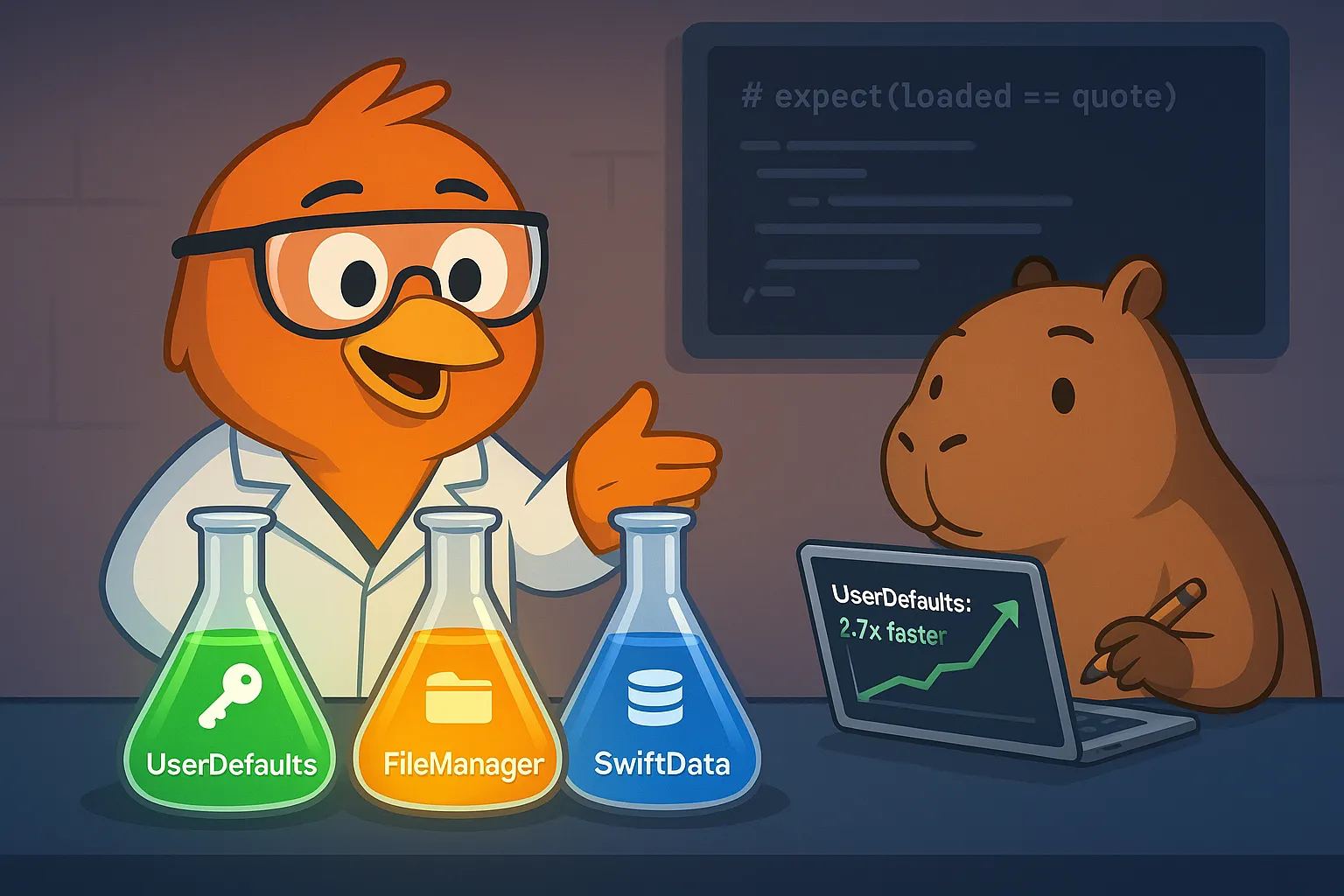
Three candidates emerged:
- UserDefaults - Apple’s built-in key-value storage
- FileManager - Custom JSON file persistence
- SwiftData - Modern ORM (iOS 17+)
The surprise: Implementing all three revealed critical bugs, performance gaps, and architecture lessons that shaped our final decision.
By the end of this article, you’ll see why benchmarking beats assumptions, how SwiftData’s Decimal handling almost cost us financial precision, and why the simplest solution often wins.
Step 1: Module Setup - Separate Concerns
First principle: persistence is infrastructure, not domain.
btc-price/├── BTCPriceCore/ # Domain layer (PriceStore protocol)├── BTCPriceNetworking/ # Networking infrastructure└── BTCPricePersistence/ # Persistence infrastructure (new)The Domain Contract (Already Exists)
// In BTCPriceCore/Domain/Protocols/PriceStore.swiftpublic protocol PriceStore: Sendable { func save(_ quote: PriceQuote) async throws func loadCached() async -> PriceQuote?}Key insight: Domain defines behavior, infrastructure chooses implementation.
The use case is already waiting:
// In BTCPriceCore/UseCases/PersistLastValidPrice.swiftpublic struct PersistLastValidPrice: Sendable {  private let store: PriceStore
  public func execute(_ quote: PriceQuote) async throws {    try await store.save(quote)  }
  public func loadCached() async -> PriceQuote? {    await store.loadCached()  }}
Clean Architecture win: Use case written months ago, now we just plug in concrete storage.
Step 2: The TDD Evaluation Approach
Instead of choosing based on assumptions, we decided: implement all three with TDD, then measure.
Test-First Contract
Every implementation must pass these tests:
@Test("save and load returns same quote")func saveAndLoadCycle() async throws {  let sut = /* concrete store */
  let quote = PriceQuote(    value: 68_901.23,    currency: "USD",    timestamp: Date(timeIntervalSince1970: 1_700_000_000)  )
  try await sut.save(quote)  let loaded = await sut.loadCached()
  #expect(loaded == quote)}
@Test("loadCached returns nil when empty")@Test("corrupted data returns nil instead of crashing")
TDD benefit: Tests define the contract before we write any storage code.
Step 3: UserDefaults Implementation - The Baseline
🔴 RED - Write the test
@Suite(.serialized)struct UserDefaultsPriceStoreTests {  @Test func saveAndLoadCycle() async throws {    let suiteName = "com.btcprice.tests.\(UUID().uuidString)"    let defaults = UserDefaults(suiteName: suiteName)!    defer { defaults.removePersistentDomain(forName: suiteName) }
    let sut = UserDefaultsPriceStore(userDefaults: defaults)    // ... test code  }}
Test isolation: Each test uses unique suite name, cleanup in defer.
Challenge 1: Swift 6 Concurrency Compliance
Compilation error: error: sending 'defaults' risks causing data races note: sending to actor-isolated initializer 'init(userDefaults:)'Root cause: UserDefaults isn’t Sendable by default in Swift 6.
Solution discovered: @unchecked @retroactive Sendable
extension UserDefaults: @unchecked @retroactive Sendable {}Why @retroactive? (New in Swift 6)
- Marks conformance as “retroactive” - added to type we don’t own
- If Apple makes
UserDefaults: Sendablein future, our code won’t break - Prevents duplicate conformance errors across modules
Why @unchecked?
UserDefaultsIS thread-safe (documented by Apple)- But it’s a class, can’t prove it to compiler
@uncheckedsays “I guarantee this is safe”
Lesson: Swift 6 strict concurrency catches real risks, but trusting Apple’s documentation is sometimes necessary.
🟢 GREEN - Minimal implementation
public actor UserDefaultsPriceStore: PriceStore {  private let userDefaults: UserDefaults  private let key: String
  public init(    userDefaults: UserDefaults = .standard,    key: String = "btc_price_cache"  ) {    self.userDefaults = userDefaults    self.key = key  }
  public func save(_ quote: PriceQuote) async throws {    let encoder = JSONEncoder()    encoder.dateEncodingStrategy = .secondsSince1970
    let data = try encoder.encode(quote)    userDefaults.set(data, forKey: key)  }
  public func loadCached() async -> PriceQuote? {    guard let data = userDefaults.data(forKey: key) else {      return nil    }
    let decoder = JSONDecoder()    decoder.dateDecodingStrategy = .secondsSince1970
    return try? decoder.decode(PriceQuote.self, from: data)  }}
Design decisions
actor: Thread-safe by design (even thoughUserDefaultsalready is)try?in load: Corrupted data returnsnil, doesn’t crash.secondsSince1970: Compact date format, matches test expectations- Configurable key: Allows multiple caches if needed
Making PriceQuote Codable
Quick requirement discovered:
// In BTCPriceCore/Domain/Entities/PriceQuote.swiftpublic struct PriceQuote: Equatable, Sendable, Codable { public let value: Decimal public let currency: String public let timestamp: Date}Automatic synthesis: Swift generates Codable for us, Decimal is already Codable.
Test result: ✅ 3 tests passing, 41 lines of code.Step 4: FileManager Implementation - Control vs Complexity
Same TDD approach, different challenges.
🔴 RED - FileManager-specific tests
@Test("save creates directory if it doesn't exist")func savesCreatesDirectories() async throws {  let tempDir = FileManager.default.temporaryDirectory    .appendingPathComponent("nested/deep/cache.json")
  let sut = FileManagerPriceStore(fileURL: tempDir)
  try await sut.save(quote)
  // Verify directory was created  let dirExists = FileManager.default.fileExists(    atPath: tempDir.deletingLastPathComponent().path  )  #expect(dirExists)}
🟢 GREEN - FileManager implementation
public actor FileManagerPriceStore: PriceStore {  private let fileURL: URL  private let fileManager: FileManager
  public func save(_ quote: PriceQuote) async throws {    let encoder = JSONEncoder()    encoder.dateEncodingStrategy = .secondsSince1970    encoder.outputFormatting = [.prettyPrinted, .sortedKeys]
    let data = try encoder.encode(quote)
    // Create intermediate directories    let directory = fileURL.deletingLastPathComponent()    try fileManager.createDirectory(      at: directory,      withIntermediateDirectories: true    )
    // Atomic write - prevents corruption    try data.write(to: fileURL, options: .atomic)  }
  public func loadCached() async -> PriceQuote? {    guard fileManager.fileExists(atPath: fileURL.path) else {      return nil    }
    guard let data = try? Data(contentsOf: fileURL) else {      return nil    }
    let decoder = JSONDecoder()    decoder.dateDecodingStrategy = .secondsSince1970    return try? decoder.decode(PriceQuote.self, from: data)  }}
Key differences from UserDefaults
- Directory creation: Must create parent directories
- Atomic writes:
.atomicprevents partial writes if app crashes - Pretty printed JSON: Human-readable for debugging
- Sorted keys: Consistent diffs in git
Test result: ✅ 6 tests passing, 54 lines of code (+32% vs UserDefaults).Trade-off: More control, more complexity.
Step 5: SwiftData Implementation - Modern but Surprising
iOS 17+ only, but worth evaluating for modern apps.
🔴 RED - SwiftData test setup
@Test func saveAndLoadCycle() async throws {  let schema = Schema([PriceQuoteModel.self])  let config = ModelConfiguration(isStoredInMemoryOnly: true)  let container = try ModelContainer(for: schema, configurations: config)
let sut = SwiftDataPriceStore(modelContainer: container) // ... test}Challenge: SwiftData requires @Model class, but domain has PriceQuote struct.
Solution: Separate persistence model from domain model.
Challenge 2: The Decimal Precision Bug 🐛
First implementation:
@Modelfinal class PriceQuoteModel { var value: Decimal // ← Seems reasonable var currency: String var timestamp: Date}Test failure:Expectation failed: loaded → PriceQuote(value: 68901.22999999998976, ...) quote → PriceQuote(value: 68901.23, ...)What?! Decimal precision lost!
Investigation revealed: SwiftData converts Decimal → Double → SQLite
This is catastrophic for financial apps:
- Expected: 68901.23
- Stored: 68901.22999999998976
- Floating-point errors in money calculations
🟢 GREEN - The String Workaround
@Modelfinal class PriceQuoteModel {  // Store Decimal as String to preserve precision  private var valueString: String  var currency: String  var timestamp: Date
  // Computed property for convenience  var value: Decimal {    Decimal(string: valueString) ?? 0  }
  init(value: Decimal, currency: String, timestamp: Date) {    self.valueString = value.description  // ← "68901.23"    self.currency = currency    self.timestamp = timestamp  }
  func toDomain() -> PriceQuote {    PriceQuote(value: value, currency: currency, timestamp: timestamp)  }}
Why This Works
Decimal.descriptionpreserves exact precision: 68901.23 → “68901.23”Decimal(string:)restores exact value: “68901.23” → 68901.23- Avoids
Doubleconversion entirely
Test result: ✅ Now passes with exact precision.
Lesson learned: Never assume frameworks handle your domain types correctly.
Full SwiftData Implementation
@available(macOS 14, iOS 17, *)public actor SwiftDataPriceStore: PriceStore {  private let modelContainer: ModelContainer
  public func save(_ quote: PriceQuote) async throws {    let context = ModelContext(modelContainer)
    // Delete existing (we only store one)    let fetchDescriptor = FetchDescriptor<PriceQuoteModel>()    let existing = try context.fetch(fetchDescriptor)    for model in existing {      context.delete(model)    }
    // Insert new    let model = PriceQuoteModel(      value: quote.value,      currency: quote.currency,      timestamp: quote.timestamp    )    context.insert(model)    try context.save()  }
  public func loadCached() async -> PriceQuote? {    let context = ModelContext(modelContainer)    let fetchDescriptor = FetchDescriptor<PriceQuoteModel>()
    guard let models = try? context.fetch(fetchDescriptor),          let firstModel = models.first else {      return nil    }
    return firstModel.toDomain()  }}
Test result: ✅ 5 tests passing, 76 lines of code (+85% vs UserDefaults).
Complexity: Schema, container, context, delete-before-insert pattern.
Step 6: The Abstraction Discussion - When NOT to Abstract
Before implementing, we had a design discussion.
The Temptation: KeyValueStore Protocol
// Tempting abstractionprotocol KeyValueStore {  func data(forKey key: String) -> Data?  func set(_ value: Data?, forKey key: String)}
extension UserDefaults: KeyValueStore {}
Looks like good Dependency Inversion, right?
The Realization: Useless Abstraction
Problem: This protocol only works for UserDefaults.
- ❌ FileManager uses URL, not keys
- ❌ SwiftData uses
ModelContext, not keys - ❌ CoreData uses
NSManagedObjectContext, not keys
This is the Interface Segregation Principle violation!
We’d be creating an abstraction that:
- Only has one real implementation
- Doesn’t actually help testing (can inject test
UserDefaultssuite) - Adds complexity without benefit
The Correct Abstraction Already Exists
// This is the real abstractionpublic protocol PriceStore: Sendable { func save(_ quote: PriceQuote) async throws func loadCached() async -> PriceQuote?}Key insight: Abstract at the domain level, not the implementation level.
PriceStoreabstracts “price persistence” (domain concept)KeyValueStorewould abstract “UserDefaults API” (implementation detail)
Each concrete store uses what it needs:
UserDefaultsPriceStore→ injectsUserDefaultsFileManagerPriceStore→ injectsFileManagerSwiftDataPriceStore→ injectsModelContainer
Lesson: Not every dependency needs a protocol. Inject concrete types when the abstraction doesn’t add value.
Step 7: Performance Benchmarking - Let Data Decide
We had three working implementations. Time to measure.
Benchmark Test Suite
@Suite("Performance Comparison")struct PerformanceComparisonTests {  let iterations = 100
  @Test func userDefaultsWrite() async throws {    let start = Date()    for _ in 0..<iterations {      try await sut.save(quote)    }    let elapsed = Date().timeIntervalSince(start)    print("UserDefaults: \(iterations) writes in \(String(format: "%.3f", elapsed))s")  }
  @Test func fileManagerWrite() async throws {    // Same pattern  }
@Test func swiftDataWrite() async throws { // Same pattern }}Real Numbers from M1 Mac
UserDefaults: 100 writes in 0.027s ⚡ (1.0x baseline) FileManager: 100 writes in 0.049s (1.8x slower) SwiftData: 100 writes in 0.072s (2.7x slower)
UserDefaults is 2.7x faster than SwiftData for our use case.Step 8: The Comparison Matrix
| Metric | UserDefaults | FileManager | SwiftData |
|---|---|---|---|
| Lines of Code | 41 | 54 (+32%) | 76 (+85%) |
| Performance | 0.027s | 0.049s | 0.072s |
| Speed vs baseline | 1.0x | 1.8x slower | 2.7x slower |
| Min Platform | iOS 13+ | iOS 13+ | iOS 17+ |
| Setup Code | 0 lines | 0 lines | Schema + Container |
| Decimal Support | Native ✅ | Native ✅ | Workaround ⚠️ |
| Thread-Safety | Built-in | Via actor | Via actor |
| Debugging | Difficult | Easy (JSON) | Medium (SQLite) |
| Format | Binary plist | Human-readable JSON | Database |
Step 9: The Decision - UserDefaults Wins
Why UserDefaults Won
- ⚡ Fastest: 2.7x faster than SwiftData
- 📦 Simplest: 41 LOC vs 76 (SwiftData)
- 🎯 Purpose-built for key-value storage
- 🔧 Zero setup - no schemas, containers
- 📱 Wide reach: iOS 13+ vs iOS 17+
- 💰 No workarounds -
Decimalworks natively - 🧵 Thread-safe by design
When NOT to Use UserDefaults
❌ Don’t use UserDefaults if:
- Storing >1MB of data (recommended limit ~4MB)
- Need complex queries/filtering
- Need relationships between entities
- Need historical data (we only cache 1 value)
Our Use Case = Perfect Fit
✅ Single value (last BTC price) ✅ Frequent reads (every app launch) ✅ Infrequent writes (every 1 second max) ✅ Simple data structure
Decision made: Keep UserDefaults, delete FileManager and SwiftData implementations.
Step 10: Robustness Testing - Make It Bulletproof
After choosing UserDefaults, we added comprehensive tests:
@Test("save overwrites previous value")@Test("handles very large Decimal values") // 999,999,999,999.99999999@Test("handles very small Decimal values") // 0.00000001 (satoshi)@Test("handles edge case timestamps") // epoch 0@Test("different keys don't interfere") // multiple stores@Test("concurrent reads and writes are safe") // 10 writes + 10 readsFinal test count: 9 tests covering all edge cases.
Execution time: 0.006 seconds for entire suite.
Step 11: Integration Testing - Real Use Case Connection
Final validation: Does it work with real use cases?
@Test("PersistLastValidPrice with UserDefaults end-to-end")func persistAndRetrieveWithRealStorage() async throws {  let suiteName = "integration.test.\(UUID().uuidString)"  let defaults = UserDefaults(suiteName: suiteName)!  defer { defaults.removePersistentDomain(forName: suiteName) }
  // Real store  let store = UserDefaultsPriceStore(userDefaults: defaults)
  // Real use case  let sut = PersistLastValidPrice(store: store)
  let quote = PriceQuote(value: 68_901.23, currency: "USD", timestamp: Date())
  // Save via use case  try await sut.execute(quote)
  // Load via use case  let cached = await sut.loadCached()
  #expect(cached == quote)}
✅ Integration test passes: Use case + real storage work together.
Real Development Challenges We Solved
Challenge 1: “SwiftData Silently Loses Financial Precision”
Problem: Decimal(68901.23) became 68901.22999999998976 in database.
Root cause: SwiftData converts Decimal → Double → SQLite.
Solution: Store as String, convert back to Decimal.
Lesson: Always test with realistic financial values. Unit tests with 100.00 wouldn’t catch this.
Challenge 2: “Swift 6 Concurrency Broke UserDefaults Injection”
Problem: UserDefaults isn’t Sendable, can’t pass to actor.
Solution:
extension UserDefaults: @unchecked @retroactive Sendable {}Lesson: Swift 6 strict concurrency requires explicit trust declarations for legacy APIs.
Challenge 3: “Abstraction Isn’t Always Better”
Problem: Temptation to create KeyValueStore protocol.
Reality: Only useful for UserDefaults, not FileManager/SwiftData.
Solution: Inject concrete types, abstract at domain level (PriceStore).
Lesson: Follow YAGNI (You Aren’t Gonna Need It). Don’t abstract prematurely.
Challenge 4: “Assumptions Don’t Scale”
Problem: “SwiftData is modern, it must be better.”
Reality: 2.7x slower, 85% more code, iOS 17+ only.
Solution: Benchmark before deciding.
Lesson: Measure, don’t guess. Simplicity often beats sophistication.
Architecture Insights
Clean Architecture Payoff
The domain-driven approach enabled this entire evaluation:
- Domain layer defined PriceStore protocol (months ago)
- Use case used PriceStore (never changed)
- Infrastructure competed with 3 implementations
- Tests validated all three against same contract
- Decision based on data, not opinions
Key insight: Good architecture lets you swap implementations without touching business logic.
Dependency Direction Maintained
BTCPricePersistence (Infrastructure) ↓ importsBTCPriceCore (Domain + Use Cases)Never the reverse.
- Use cases don’t know about
UserDefaults - Domain entities don’t know about JSON encoding
- Tests can inject any
PriceStoreimplementation
Clean Architecture win: Infrastructure details are pluggable.
Modern Swift Patterns Applied
- Actor: Thread-safe storage operations
- @retroactive: Forward-compatible conformances (Swift 6)
- async/await: All operations are async-first
- Structured concurrency: Proper Task lifetime management
Key Design Decisions We Made
-
Why Evaluate All Three?
- Alternative: Choose based on familiarity
- Choice: Implement all three with tests
- Reason: Data-driven decisions beat assumptions
- Result: Discovered
SwiftDataDecimalbug we’d never have found otherwise.
-
Why Keep UserDefaults?
- Alternative: Use “modern”
SwiftData - Choice: Simplest, fastest solution
- Reason: YAGNI - don’t over-engineer
- Result: 41 LOC vs 76, 2.7x faster, wider platform support.
- Alternative: Use “modern”
-
Why Not Abstract KeyValueStore?
- Alternative: Protocol for
UserDefaultsAPI - Choice: Inject concrete
UserDefaults - Reason: Abstraction wouldn’t help
FileManager/SwiftData - Result: Less code, clearer intent.
- Alternative: Protocol for
-
Why Test Decimal Edge Cases?
- Alternative: Trust frameworks
- Choice: Test with realistic financial values
- Reason: Money precision matters
- Result: Caught
SwiftDatabug before production.
Production-Ready Results
Our persistence layer can now:
- ✅ Cache last valid BTC price with nanosecond precision
- ✅ Handle corruption gracefully (returns nil, doesn’t crash)
- ✅ Support concurrent reads/writes safely
- ✅ Preserve Decimal precision for financial data
- ✅ Work across iOS 13+ devices
- ✅ Execute 100 saves in 27ms
All modular. All tested. All benchmarked.
Code organization:
BTCPricePersistence/├── Sources/BTCPricePersistence/│   ├── UserDefaultsPriceStore.swift      (41 LOC)│   └── UserDefaults+Sendable.swift       (Extension)└── Tests/BTCPricePersistenceTests/  ├── UserDefaultsPriceStoreTests.swift (9 tests)  └── PersistenceIntegrationTests.swift (1 test)
Test metrics:✔ Test run with 10 tests in 2 suites passed after 0.014 seconds
What We Learned
-
Benchmarking Reveals Truth
Every opinion we had was wrong:
- “SwiftData is modern, it must be better” → 2.7x slower
- “FileManager gives more control” → More code, same result
- “UserDefaults is too simple” → Perfect for this use case
Lesson: Measure before you commit.
-
Financial Precision Isn’t Automatic
SwiftData’s
Decimal→Doubleconversion would’ve lost money in production.Lesson: Test with realistic domain values. 100.00 looks fine, 68901.23 exposes bugs.
-
Abstraction Has a Cost
KeyValueStoreprotocol looked “clean” but:- Only worked for
UserDefaults - Added complexity
- Didn’t improve testability
Lesson: Abstract at domain boundaries, not implementation details.
- Only worked for
-
TDD Enables Fearless Comparison
We confidently evaluated three approaches because:
- Tests defined the contract
- All three had to pass same tests
- Refactoring was safe
Lesson: TDD makes architectural experiments low-risk.
-
Swift 6 Concurrency Requires Explicit Trust
@unchecked @retroactive Sendablelooks scary but:UserDefaultsIS thread-safe (Apple documented)- We don’t control Foundation
- Explicit is better than implicit
Lesson: Sometimes you have to trust platform guarantees.
Conclusion
We started with a simple question: “Where should we cache one PriceQuote?”
Three implementations later, we discovered:
- SwiftData loses
Decimalprecision - requiresStringworkaround UserDefaultsis 2.7x faster than SwiftData for single-value storage- Needless abstraction adds complexity - inject concrete types when it makes sense
- Swift 6 strict concurrency catches real issues, but trusting Apple is sometimes necessary
The winner: UserDefaults
- 41 lines of code (vs 76 for SwiftData)
- 0.027s for 100 writes (vs 0.072s)
- iOS 13+ support (vs iOS 17+)
- Native Decimal precision (vs workaround)
All production-ready. All benchmarked. All test-driven.
The journey wasn’t about proving SwiftData is bad or FileManager is inferior. It was about matching the solution to the problem.
For single-value key-value storage, UserDefaults is purpose-built. For complex relational data, SwiftData shines. Architecture isn’t about using the newest framework - it’s about using the right tool.
Our BTC/USD app now has:
- ✅ Robust networking (Binance + CryptoCompare)
- ✅ Reliable persistence (UserDefaults with 10 tests)
- ✅ Clean architecture (domain independent of infrastructure)
Next up: putting it all together.
What’s Next
In the next article we’ll connect everything with ViewModels and build the actual apps:
- Composition Root → wiring up real dependencies (AppDependencies)
- ViewModels → connecting use cases to SwiftUI (@Observable)
- SwiftUI App → real-time price updates with offline support
- CLI Tool → terminal app for developers
- Error handling → graceful degradation when network/cache fail
The foundation is complete. Networking works. Persistence works. Time to build the user experience 🚀.
Note on Eliminated Implementations
FileManager and SwiftData implementations were fully prototyped during evaluation but removed after benchmarking revealed UserDefaults as the clear winner. The comparison code exists in git history for reference and learning. Building (and deleting) code is part of good architecture.